
PicsR4.61 - App Store
You'll be able to see results in few seconds.
Publisher Description
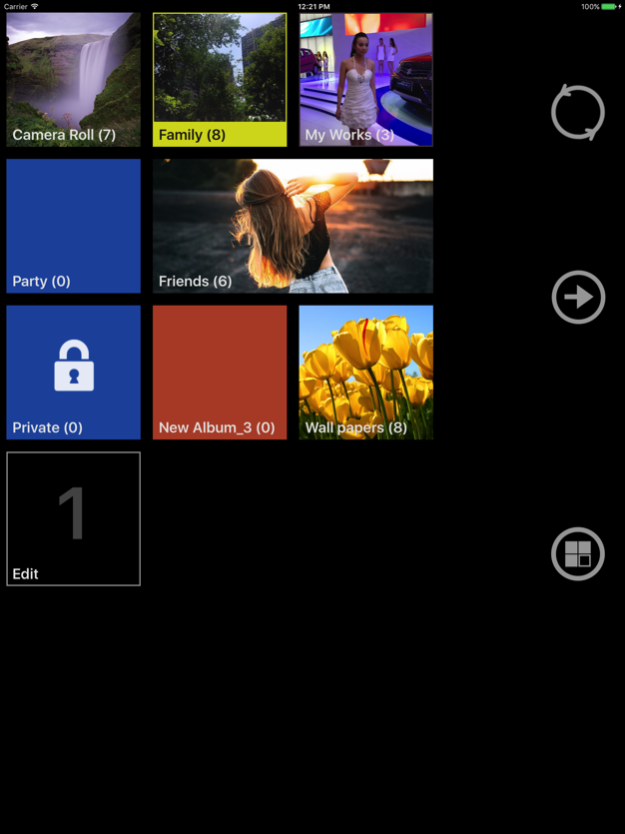
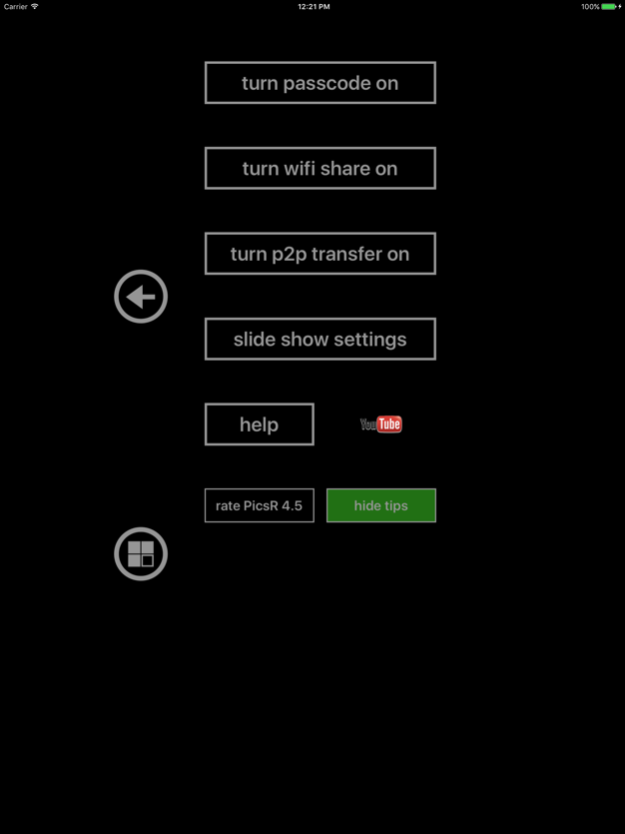
Pics give you revolutionary management for Photos and Videos. With Pics, you can view more details of your Photos taken by camera, organize them in different albums, protect them with passcode. And another, you can easily download your Photos and Videos in camera roll to your computer through WiFi connection.
-----------
Features:
-----------
-View your photos in full resolution, no compressing, no quality losing.(*)
-Very fast import photos and videos from camera roll, start organize your thousands of photos from now on!
-Import HD videos without any quality losing.
-View your photos in camera roll directly, it's also treat as an album in App.
-Add, delete, order albums, edit album name and properties. Move, delete photos and videos.
-4 Desktops. Organize your albums into different desktop, and you can lock the desktop instead of lock albums.
-WiFi downloading and uploading, access photos and videos in all albums including camera roll.
-Accept ZIP packet for uploading, you can upload hundreds of photos by one click! Progress indicator displayed on your device while uploading.
-Synchronously display in web browser, all your changes made on your device would update to web browser automatically.
-Photos and Videos filter inside the App and also provide for web browser, find videos much easier.
-Passcode protection for locked albums and admin operations.Pics
-Native iPad support, Pics is a universal App. You only need to pay once for your iPhone and iPad.
-P2P Transfer. Transfer photos/videos to another iPhone/iPod touch/iPad with WiFi or Bluetooth connection.
-AlbumSync with p2p transfer. Compare albums on two different devices and send photos not exist in remote album by one tap. if album not exist, Pics would create a new album on remote device to receive all photos.
-View all albums synced by iTunes.
-Complete retina display support.
-Amazing animated 3D user interface.
Jun 29, 2020
Version 4.61
Recent version fixed:
1. Now with wifi sharing, you can use adition path info to get your data inside the app.
e.g. Use "http://your ip address/albums" to get raw album files.
2. Other bugs fixed.
About PicsR
The company that develops PicsR is 平 陈. The latest version released by its developer is 4.61.
To install PicsR on your iOS device, just click the green Continue To App button above to start the installation process. The app is listed on our website since 2020-06-29 and was downloaded 0 times. We have already checked if the download link is safe, however for your own protection we recommend that you scan the downloaded app with your antivirus. Your antivirus may detect the PicsR as malware if the download link is broken.
How to install PicsR on your iOS device:
- Click on the Continue To App button on our website. This will redirect you to the App Store.
- Once the PicsR is shown in the iTunes listing of your iOS device, you can start its download and installation. Tap on the GET button to the right of the app to start downloading it.
- If you are not logged-in the iOS appstore app, you'll be prompted for your your Apple ID and/or password.
- After PicsR is downloaded, you'll see an INSTALL button to the right. Tap on it to start the actual installation of the iOS app.
- Once installation is finished you can tap on the OPEN button to start it. Its icon will also be added to your device home screen.
Program Details
System requirements
Download information
Pricing
Version History
version 4.61
posted on 2020-06-29
Jun 29, 2020 Version 4.61
Recent version fixed:
1. Now with wifi sharing, you can use adition path info to get your data inside the app.
e.g. Use "http://your ip address/albums" to get raw album files.
2. Other bugs fixed.
version 4.6
posted on 2020-06-27
Jun 27, 2020 Version 4.6
1. Now with wifi sharing, you can use adition path info to get your data inside the app.
e.g. Use "http://your ip address/albums" to get raw album files.
2. Other bugs fixed.
version 4.5
posted on 2017-05-25
May 25, 2017 Version 4.5
Update for iOS 10.
Now you can see the preview while edit the album style.
A few bugs fixed.
version 4.2
posted on 2014-04-08
version 4.61
posted on 1970-01-01
29 июня 2020 г. Version 4.61
Recent version fixed:
1. Now with wifi sharing, you can use adition path info to get your data inside the app.
e.g. Use "http://your ip address/albums" to get raw album files.
2. Other bugs fixed.
version 4.5
posted on 1970-01-01
25 трав 2017 р. Version 4.5
Update for iOS 10.
Now you can see the preview while edit the album style.
A few bugs fixed.
version 4.5
posted on 1970-01-01
2017年5月25日 Version 4.5
Update for iOS 10.
Now you can see the preview while edit the album style.
A few bugs fixed.
version 4.61
posted on 1970-01-01
29 de jun. de 2020 Version 4.61
Recent version fixed:
1. Now with wifi sharing, you can use adition path info to get your data inside the app.
e.g. Use "http://your ip address/albums" to get raw album files.
2. Other bugs fixed.
version 4.61
posted on 1970-01-01
2020年6月29日 Version 4.61
Recent version fixed:
1. Now with wifi sharing, you can use adition path info to get your data inside the app.
e.g. Use "http://your ip address/albums" to get raw album files.
2. Other bugs fixed.
Disclaimer
Official App Store Link
We do not host PicsR on our servers. We did not scan it for viruses, adware, spyware or other type of malware. This app is hosted by Apple and passed their terms and conditions to be listed there. We recommend caution when installing it.
The App Store link for PicsR is provided to you by apps112.com without any warranties, representations or guarantees of any kind, so access it at your own risk.
If you have questions regarding this particular app contact the publisher directly. For questions about the functionalities of apps112.com contact us.
